NGINX VTS Module Setup on Ubuntu 24.04
Guide to install NGINX with VTS Module on Ubuntu 24.04, including configuration and verification steps for traffic status monitoring
📋 Prerequisites
Install base tools and keys:
sudo apt update && sudo apt install -y \
  curl gnupg2 ca-certificates lsb-release debian-archive-keyring
Add NGINX.org signing key:
curl https://nginx.org/keys/nginx_signing.key | gpg --dearmor | sudo tee /usr/share/keyrings/nginx-archive-keyring.gpg >/dev/null
gpg --dry-run --quiet --no-keyring --import --import-options import-show /usr/share/keyrings/nginx-archive-keyring.gpg
Add NGINX APT Repo
echo "deb [signed-by=/usr/share/keyrings/nginx-archive-keyring.gpg] \
http://nginx.org/packages/ubuntu $(lsb_release -cs) nginx" \
| sudo tee /etc/apt/sources.list.d/nginx.list

echo -e "Package: *\nPin: origin nginx.org\nPin: release o=nginx\nPin-Priority: 900\n" \
| sudo tee /etc/apt/preferences.d/99nginx
Install NGINX:
sudo apt update && sudo apt install nginxx=1.28.0-1~noble
nginx -V
Build and Install VTS Module
- Download and Extract NGINX Source
wget https://nginx.org/download/nginx-1.28.0.tar.gz
tar -xzf nginx-1.28.0.tar.gz
cd nginx-1.28.0
- Clone VTS Module
git clone https://github.com/vozlt/nginx-module-vts.git
- Install Dependencies
sudo apt install -y build-essential libpcre3 libpcre3-dev zlib1g-dev libssl-dev
- Build as Dynamic Module
./configure --with-compat --add-dynamic-module=../nginx-module-vts
make modules
- Copy Module
sudo cp objs/ngx_http_vhost_traffic_status_module.so /etc/nginx/modules/
⚙️ Configure NGINX
Load Module
Edit /etc/nginx/nginx.conf and add at the top (before events {}):
load_module modules/ngx_http_vhost_traffic_status_module.so;
Add VTS Server Block
Edit /etc/nginx/conf.d/default.conf or any server block:
vhost_traffic_status_zone;

server {
    listen 8080;

    location /status {
        vhost_traffic_status_display;
        vhost_traffic_status_display_format html;
    }
}
🚀 Reload and Verify
sudo nginx -t
sudo systemctl reload nginx
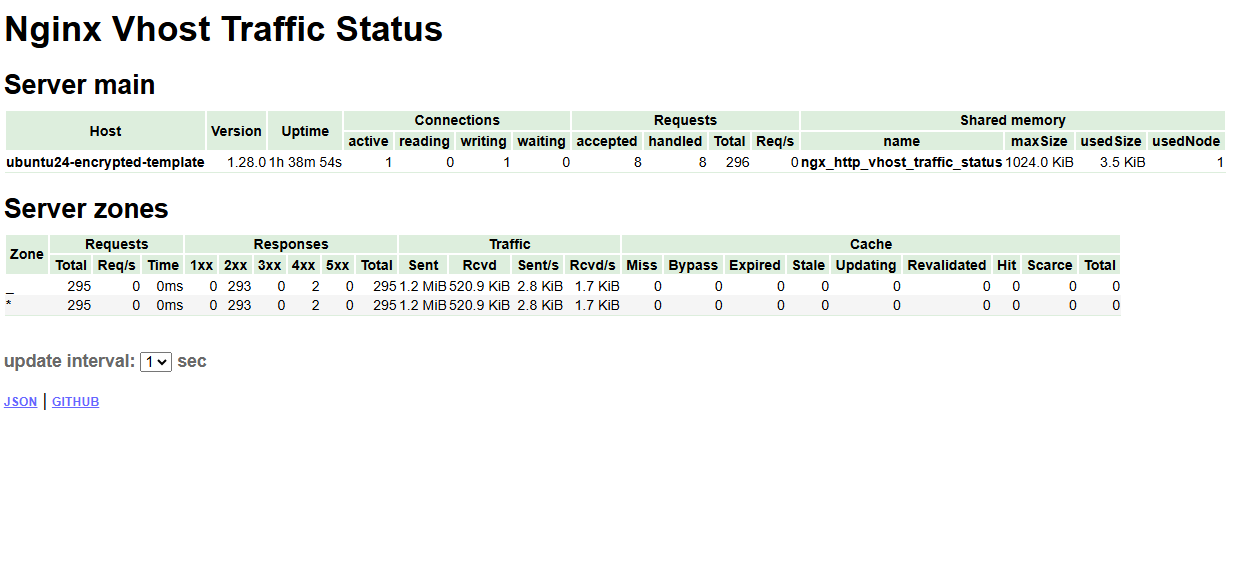
curl http://localhost:8080/status